


April 15, 2026
Missing and inconsistent handling of database fields associated with entities can be a real problem in drug discovery. Custom Fields within Registration Forms addresses this issue, giving teams even greater control over how data is captured and standardized across entity types. This release builds on the previous release of Registration Forms & Systems. Registration Forms are configurable interfaces that define how entities like small molecules or biologicals are registered into CDD Vault. Each form lists a specific registration system which dictates ID generation, and defines business rules for database field requirements.
What’s New:
Vault Administrators can now define exactly which database fields appear within each Registration Form, enabling more precise and relevant data capture for every entity type.
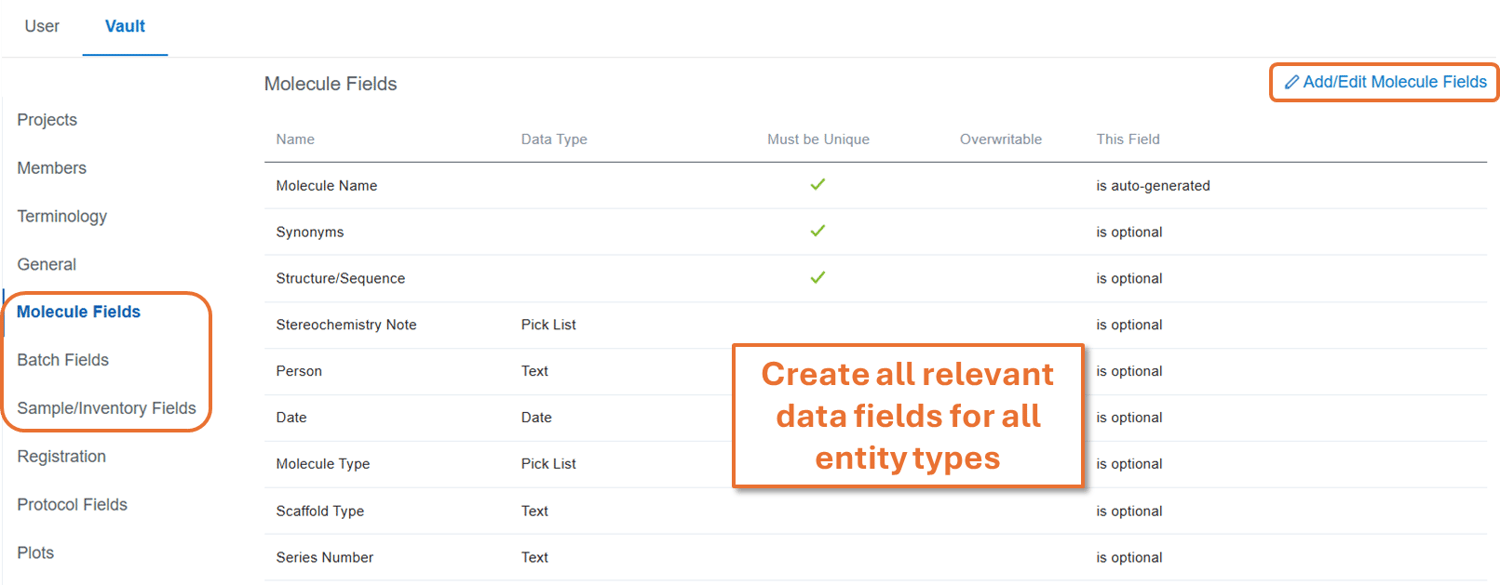
First, create all relevant (meta)data fields under the Settings → Vault → Molecule/Batch/Sample Fields pages. Refer to this knowledge base article for more detailed information on specific scenarios.
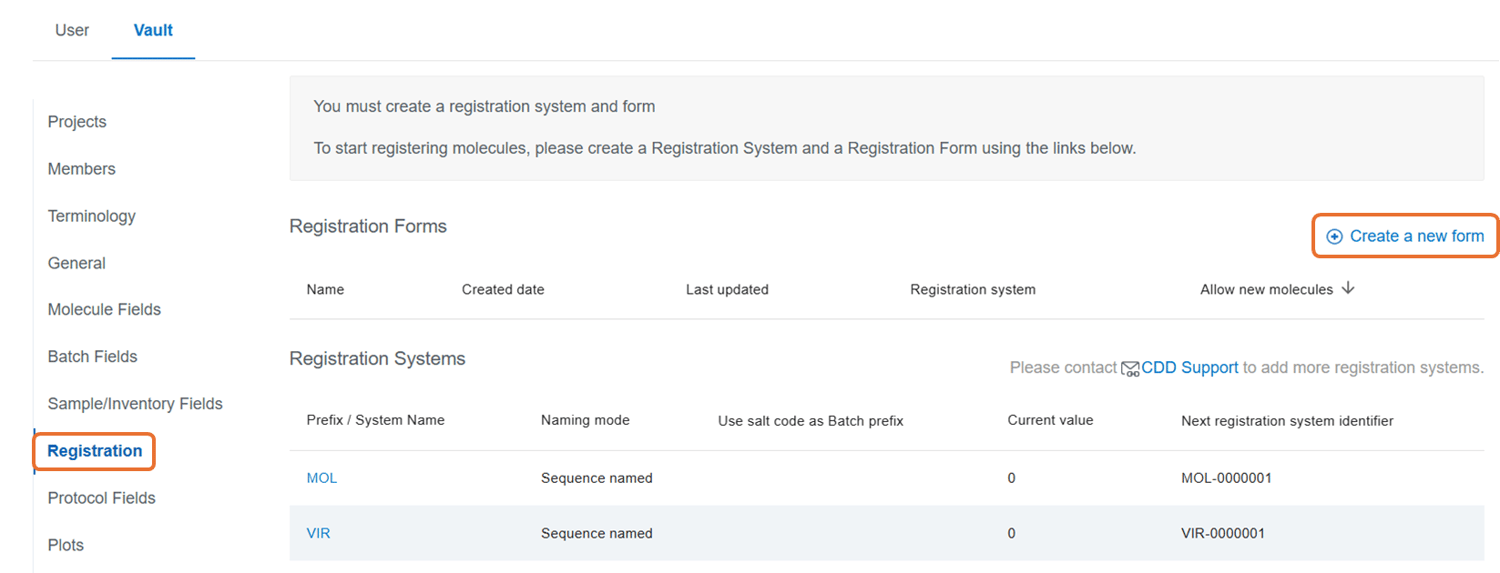
Create a Registration Form by navigating to Settings → Vault → Registration.
Choose which fields should appear for that form for each field type.
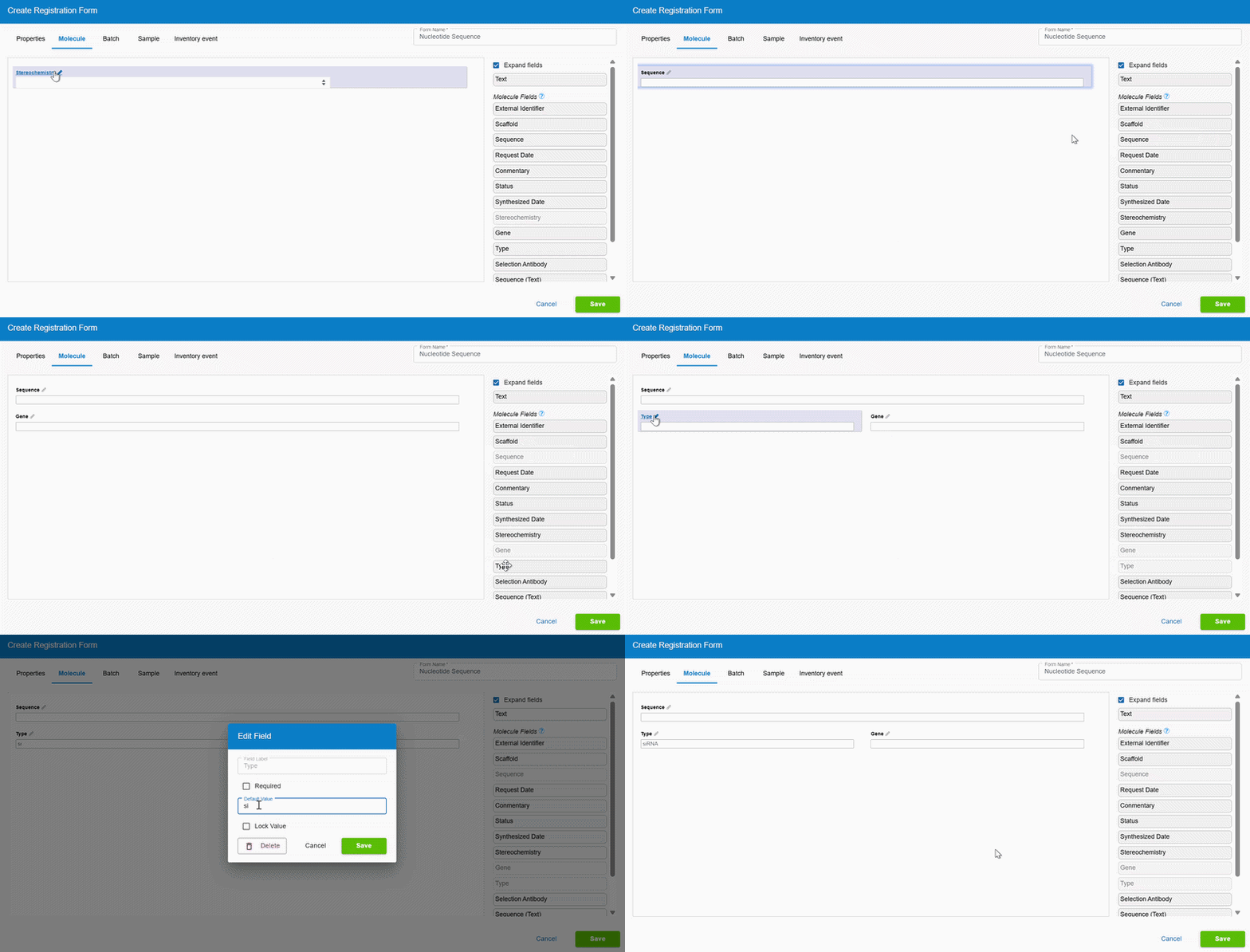
Use the pencil icon to edit fields and add business rules on a per form basis: set default values, restrict pick list value inputs, lock specific values, or make optional fields required.
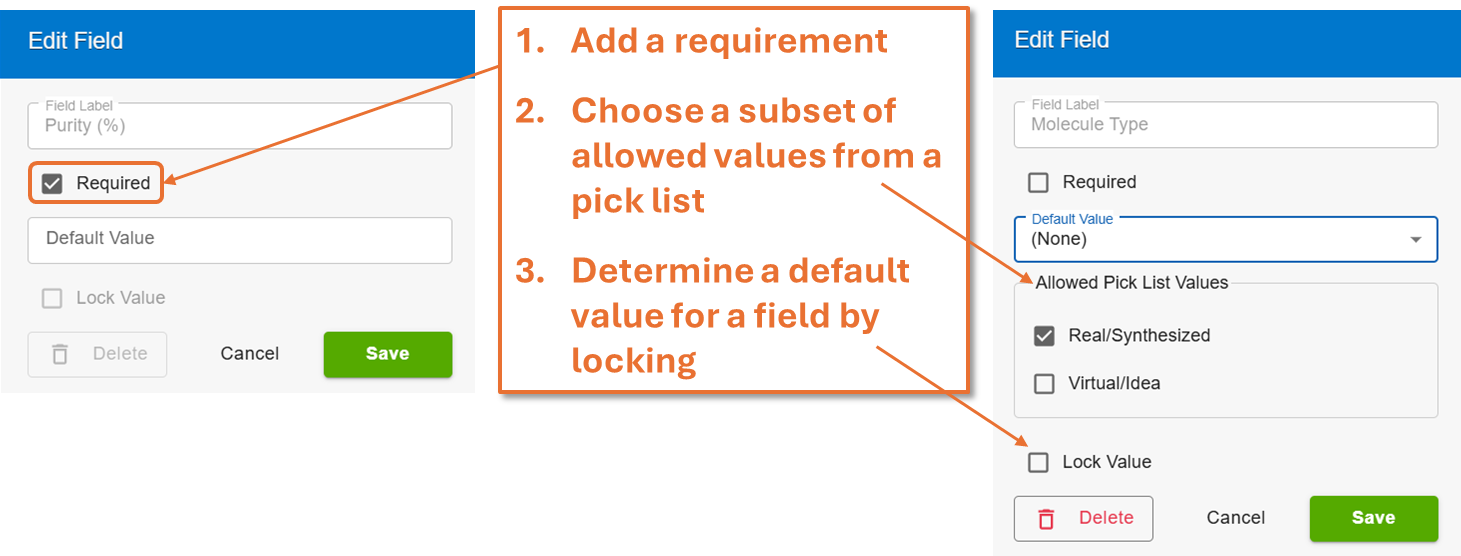
*This same process can be applied to the Batch, Sample, and Inventory event tabs of the Registration Form builder, providing a consistent look and feel wherever you add business rules.
Key Benefits:
- Standardize Data Entry: Define field data types, default values, lock values, and requirements to reduce the risk of incomplete or inconsistent data entry.
- Eliminate Irrelevant or Unused Fields: Display only the fields that matter for a given workflow to guide users through a structured, focused registration.
- Tailor Forms to Match Scientific Workflows: Ensure the right information is captured at the right stage of your research process.
With this ability to configure fields in registration forms, Vault Administrators gain more control over the registration process. By tailoring forms per entity type or scientific workflow, admins can enforce data governance policies, reduce the burden of cleaning up incomplete or inconsistent records downstream, and onboard new users more confidently.
Researchers benefit from registration forms that reflect the way they actually work. A medicinal chemist registering a newly synthesized analog sees only the fields relevant to their workflow (Purity, Scaffold, Molecule Type), while a biologist registering a cell line is presented with the context that matters to them (Cell Line Name, Passage Number, Storage Conditions). The result is a faster, less error-prone registration experience that feels built for purpose.
Whether you're configuring the system or using it daily, Custom Fields in Registration Forms means less friction, better data, and workflows that match your science.
To provide feedback on features, or if you have questions and want to schedule a demo, please contact support@collaborativedrug.com.