


February 3, 2026
CDD Vault Inference Models are predictive models built directly from your experimental protocol data, requiring no configuration or user interaction. Model training, QC, and deployment occurs automatically and the model is refined every time new data is added. CDD Vault analyzes protocol data, identifies relevant endpoints, and builds a regression model. If the model is good enough, it is released. You do not need to configure or maintain anything.
Inference models are directly integrated in your CDD Vault in four locations:
Molecule page: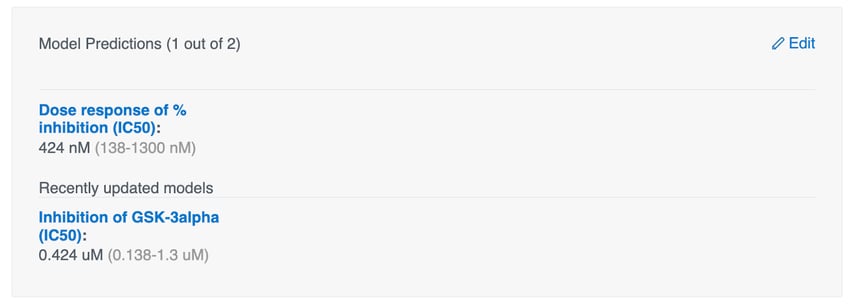
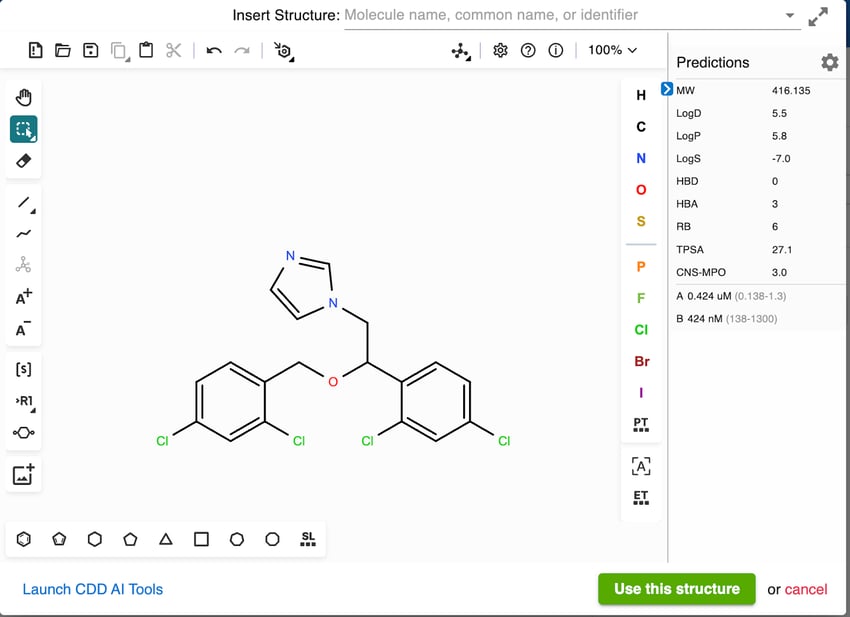
Editor:
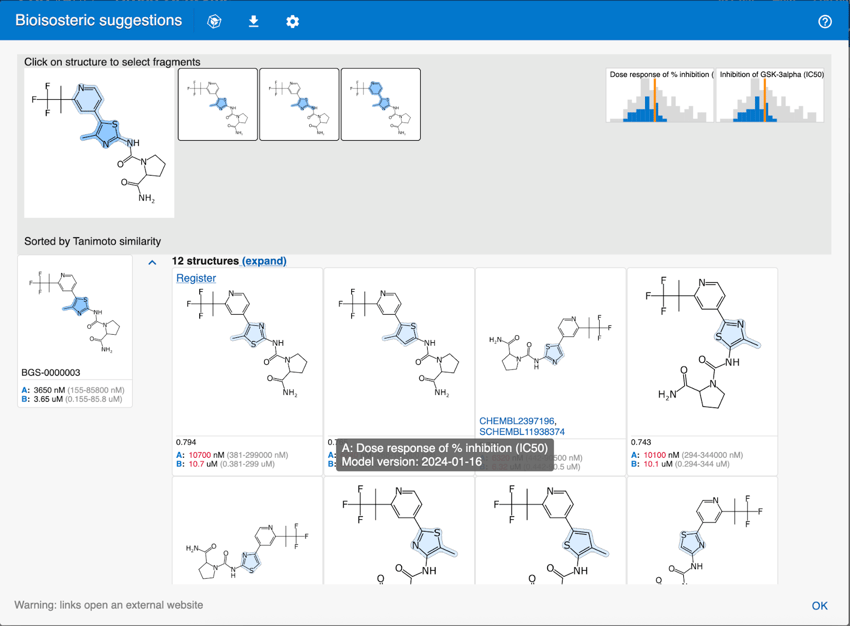
Bioisosteric suggestions (AI module):
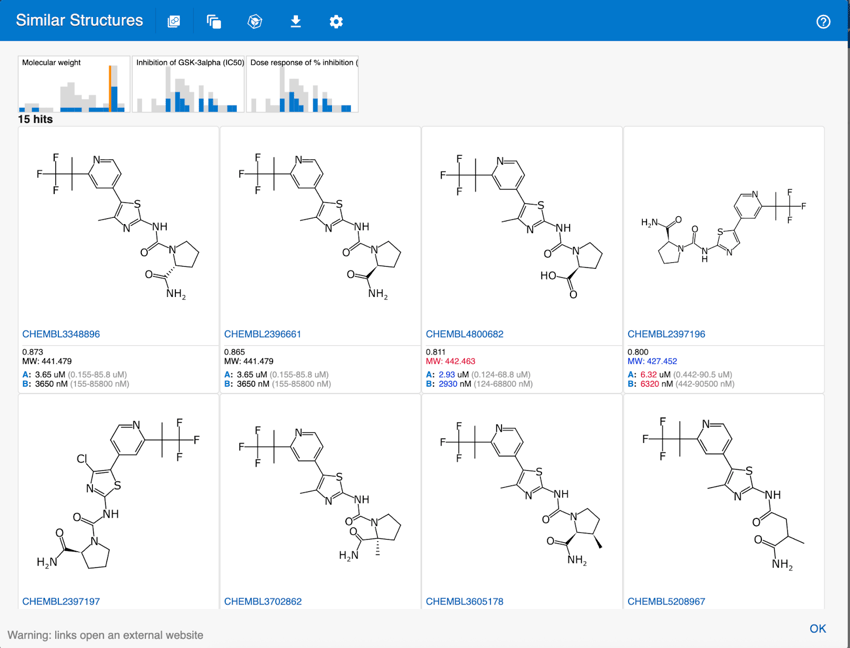
Deep learning similarity (AI module):
Model predictions are currently available from the:
- Molecule page: predictions are shown below calculated properties.
- Structure Editor: model predictions are shown side by side with molecular properties for any molecule you draw.
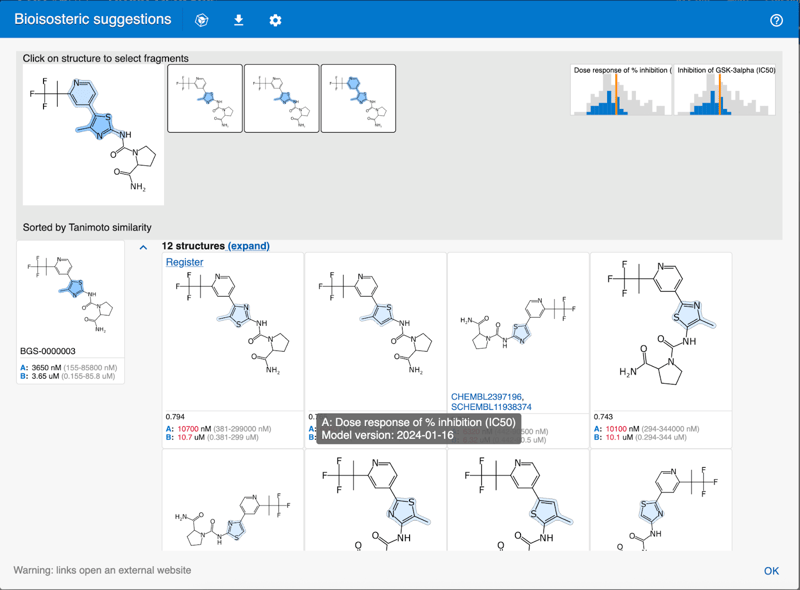
- Bioisosteric suggestions (AI module): predictions are calculated for all suggested molecules. Predictions will more likely be accurate for bioisosteres similar to parent compounds in training sets. Similarity is conveniently shown next to each bioisostere to quantitate trustworthiness.
- Deep learning similarity (AI module): predictions are calculated for all molecules. Deep learning similarity identifies compounds physically available from Enamine for SAR-by-catalogue and in SureCEMBL for patent novelty.
Inference models on the molecule page
The model predictions are at the end of the page below calculated properties. In addition to your selected list of models, CDD Vault shows the eight most recently updated models
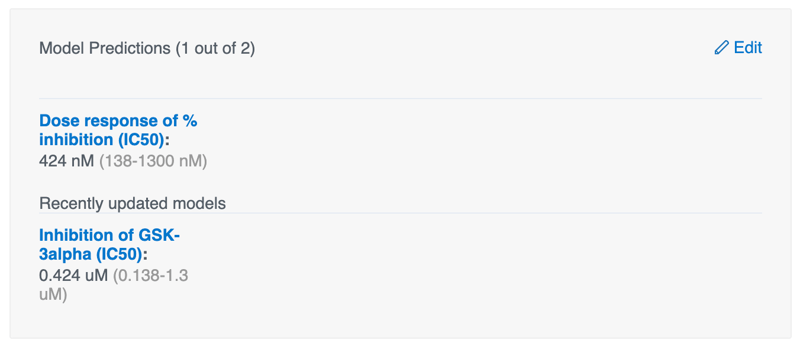

Move your mouse over the protocol model name to display a pin icon. Click the icon to add the model to your selection. Clicking the model name opens the protocol page in another tab for model provenance.
Designing and Modeling New Molecules
The side panel in the structure editor contains model predictions side-by-side with calculated molecule properties. Structure changes drawn will be immediately reflected in the predictions. Because it is dynamic, model values are shown as new ideas are explored.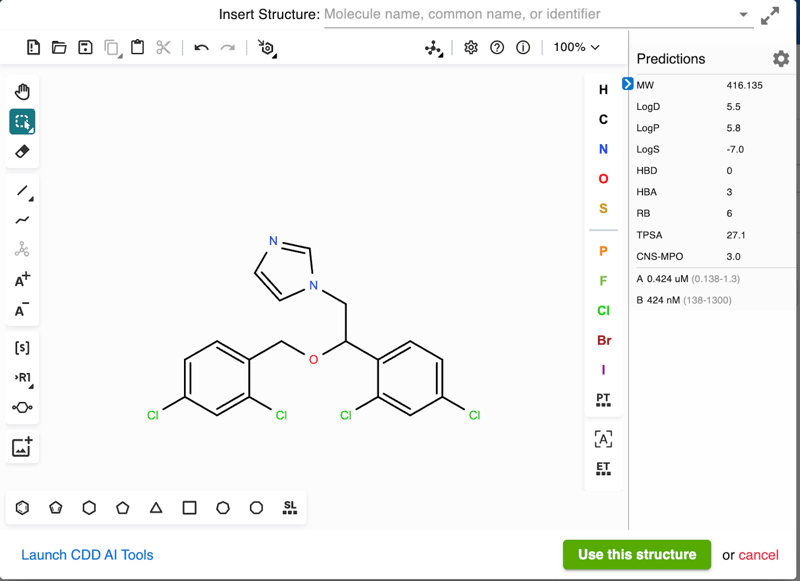 Because protocol names can be very long, we label predictions using A, B, … Select the models and order them in the settings dialog by clicking the gear symbol. Your selection is stored in the browser and preserved between sessions. Hover over the labels to see the protocol name.
Access model predictions in the AI module:
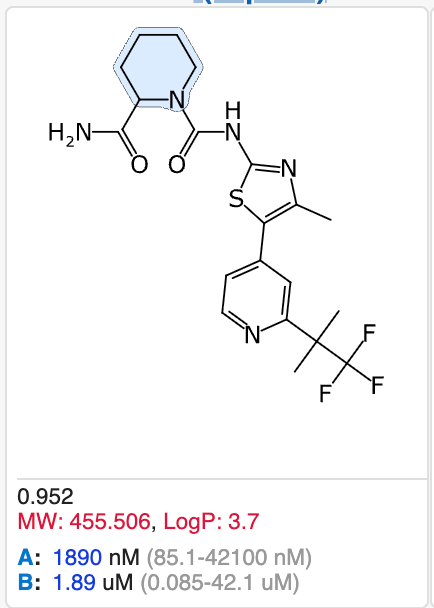
Inference model predictions are also available in bioisosteric suggestions and in deep learning similarity. In addition to calculated properties, you will now see predicted activities with error bars. In the bioisosteric suggestions, the color indicates the change relative to the reference compound.
The list of structures can be conveniently sorted and filtered graphically in the same way as molecule properties (see the histogram).
Model scope and limitations
When using the predictions, be aware that the CDD Vault Inference Models are just that: models. Models are often wrong, and some non-linear models create near-perfect predictions on their training data but fail badly on novel data, leading to overly optimistic expectations. To help gauge trustworthiness, every prediction in CDD Vault includes an uncertainty estimate. For example, you might see:
29.3 nM (0.734-1170 nM)
Here the prediction is about 30 nM with an uncertainty range of 0.7 nM to 1.1 μM.
Models will have a domain of applicability. For structures that are further away from compound series training sets, models naturally will be less reliable. In preliminary studies, the further away the structures are, the more likely the model will predict low activity with larger prediction intervals.
What if I want to select which models to see?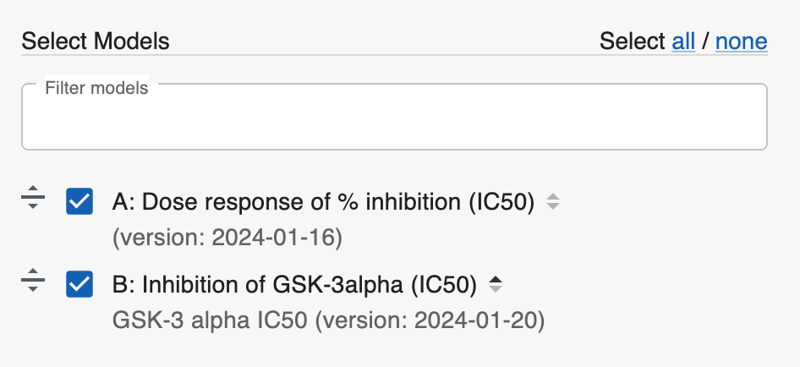
You can focus the predictions to protocol endpoints of your choice. Click the gear symbol () or the “Edit” link. Select models, change the order in which they show up in the User Interface (UI), and, in the AI module, sort suggestions in order of the predicted values. The selection is saved in your browser and will be used the next time you get to the same page. If you have access to several CDD Vaults, each CDD Vault will have its own list of models.
Technical and security details
The model training explores three different types of regression models and compares their performance using 5-fold cross validation. The final model is selected based on an optimization of model size and performance. After selection, a second model is trained that estimates the prediction uncertainty. Both models are combined and stored in ONNX (Open Neural Network Exchange) format. If the estimated model performance has an r2 greater than 0.4, then the model is released and becomes available in CDD Vault. The model is loaded and runs in your browser allowing for ultra-fast feedback especially when drawing molecules.
The CDD Vault Inference Models are designed with security in mind. Your data remains inside your secure and private CDD Vault environment.
Summary
CDD Vault fully automated, zero-click inference models builds QSAR models on your experimental data and runs them on compounds in your CDD Vault, as well as on bioisosteres and new molecules drawn. CDD Vault Inference Models now enable the design-make-test-analyze cycle directly in CDD Vault.
A manuscript detailing the design and development of the CDD Vault Inference Model system is available at https://dx.doi.org/10.26434/chemrxiv-2026-l1d11