
November 17, 2017
With today's release, the CDD Development team brings the capabilities of the CDD Vault Application Programming Interface (otherwise known as the 'API') full circle. This new Bulk Import feature allows you to use the API to import molecule, batch, plate and protocol data into CDD Vault. Bulk Import via the CDD Vault API Bulk Import allows you to programmatically import data into CDD Vault. You can now POST csv, sdf or zip files using HTTPS calls into your CDD Vault, which will then import the data according to existing mapping templates. The data imported from your files may register into any part of your CDD Vault, including the import of assay data into your Protocols. There are a few requirements, so careful attention to the full documentation is suggested. 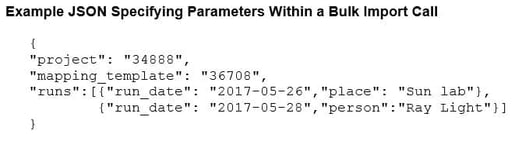 As always, feel free to contact CDD Support for assistance.
As always, feel free to contact CDD Support for assistance.