
August 13, 2026
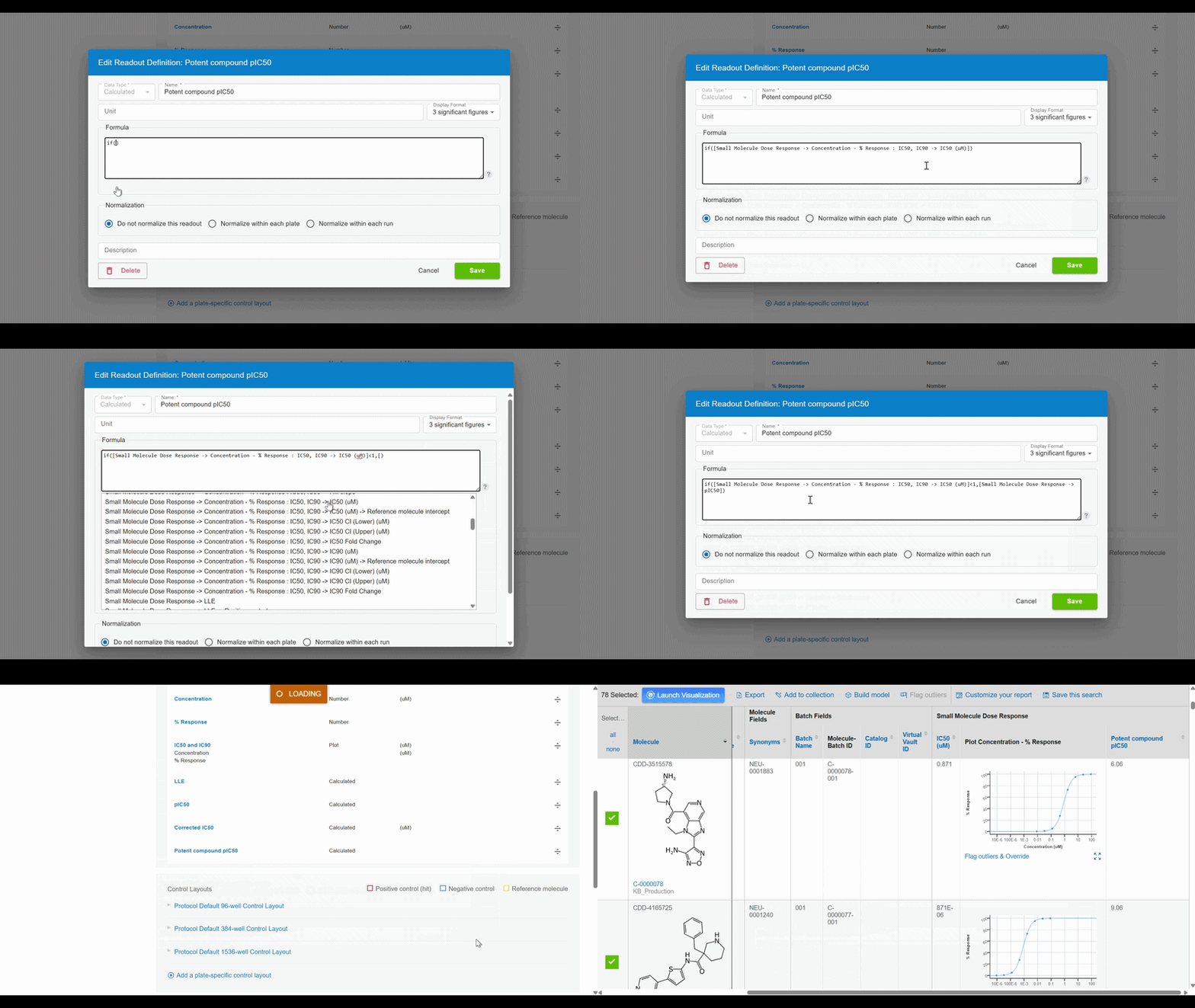
Create if/then/else calculated readouts:
Calculated readout definitions in CDD Vault now support if/then/else logic, enabling more powerful, conditional formulas. This release introduces the if(condition, value_if_true, value_if_false) function along with Excel-style comparison and logical operators (>, >=, <, <=, <>, =, and, or, xor, not) that resolve to a new boolean type usable within if statements.
Two new supporting functions are also available:
finite_boundary(readout_definition), which strips modifiers from a curve intercept value (or returns blank if no value exists) and can be used standalone or within a conditional statement; and intercept_calculated(readout_definition), which returns true or false depending on whether an intercept readout definition calculated to a number/range or to nil/error, for use exclusively within if statements. Together, these additions allow users to build dynamic calculated readouts, such as if([readout]>10, [readout2], 4*[readout3]).
Combining these three elements for a ‘Small Molecule Dose Response’ protocol:
if([Small Molecule Dose Response -> Concentration - % Response : IC50, IC90 -> IC50 (uM)]<1,[Small Molecule Dose Response -> pIC50],0)
This will check if the IC50 value is less than 1 uM and display the calculated pIC50 value, otherwise the pIC50 value will be displayed as 0 to show that a molecule is inactive.
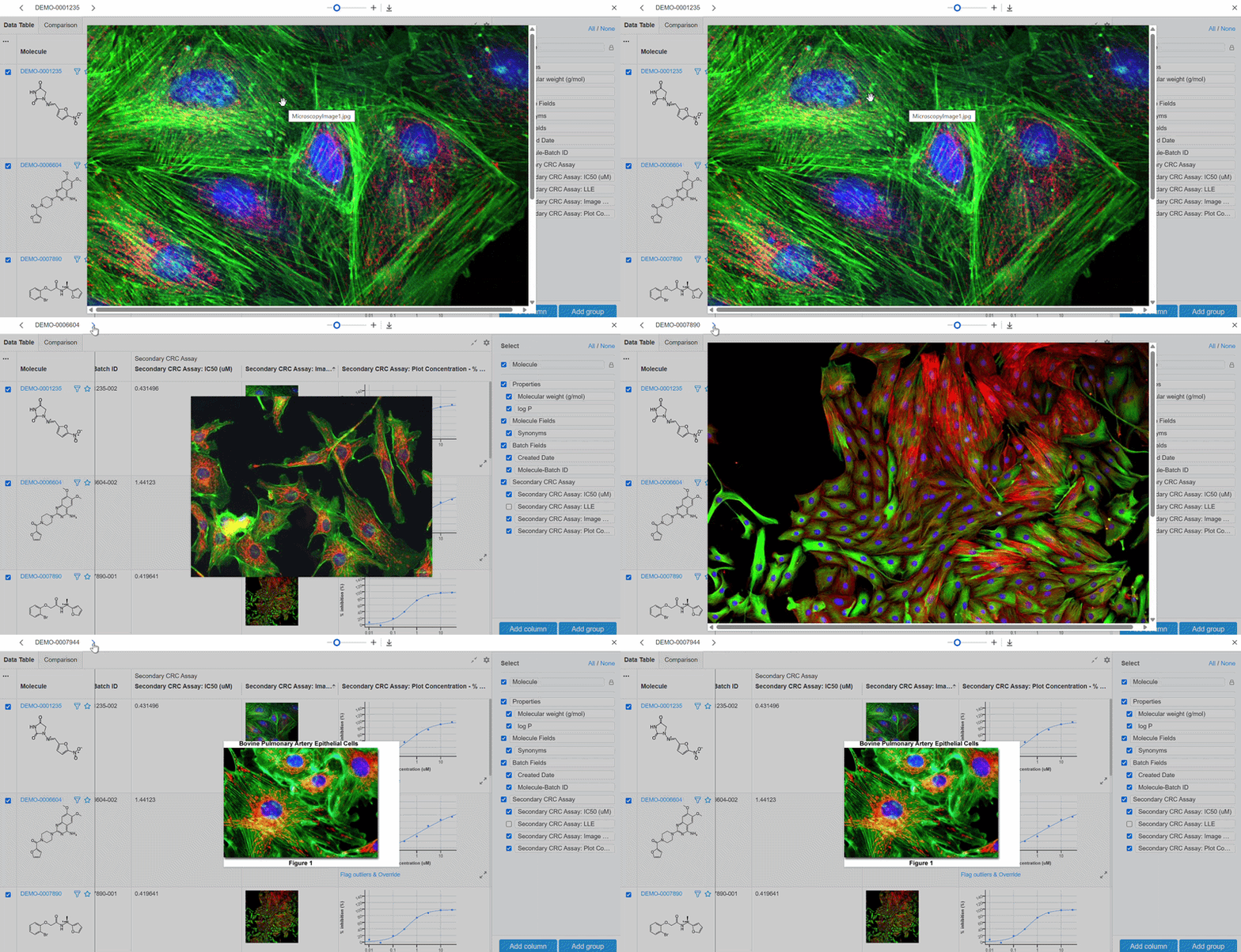
Carousel through images:
Images brought into Visualization can be viewed on a carousel. Click on an image to enlarge, and use the keyboard arrow keys or arrow icons in the top left corner to switch between images. Carouseling applies to images in replicate rows and across molecules.
ELN metadata fields:
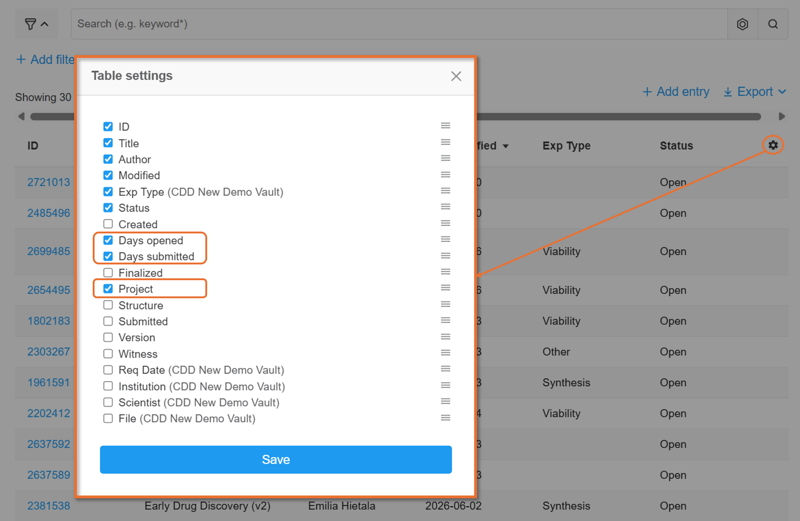
New metadata fields can be displayed on the ELN index page for sorting and filtering. Click the Table Settings gear icon to insert these fields:
- Project
- Days opened
- Days submitted
Easily manage project permissions for individual users:
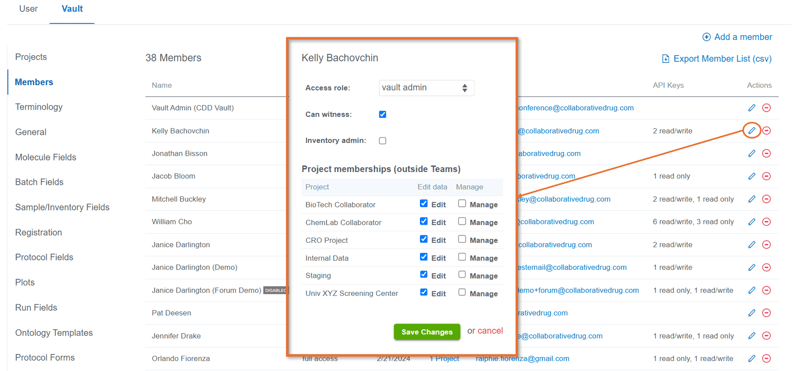
Vault Administrators can view and edit project privileges on the Settings > Vault > Members page. Simply click the pencil icon and check the box to add or remove edit and management access. This is particularly helpful when updating a user’s role from read to write. Team based project management permissions are still managed at the Account level.
Filter AI results by substructure:
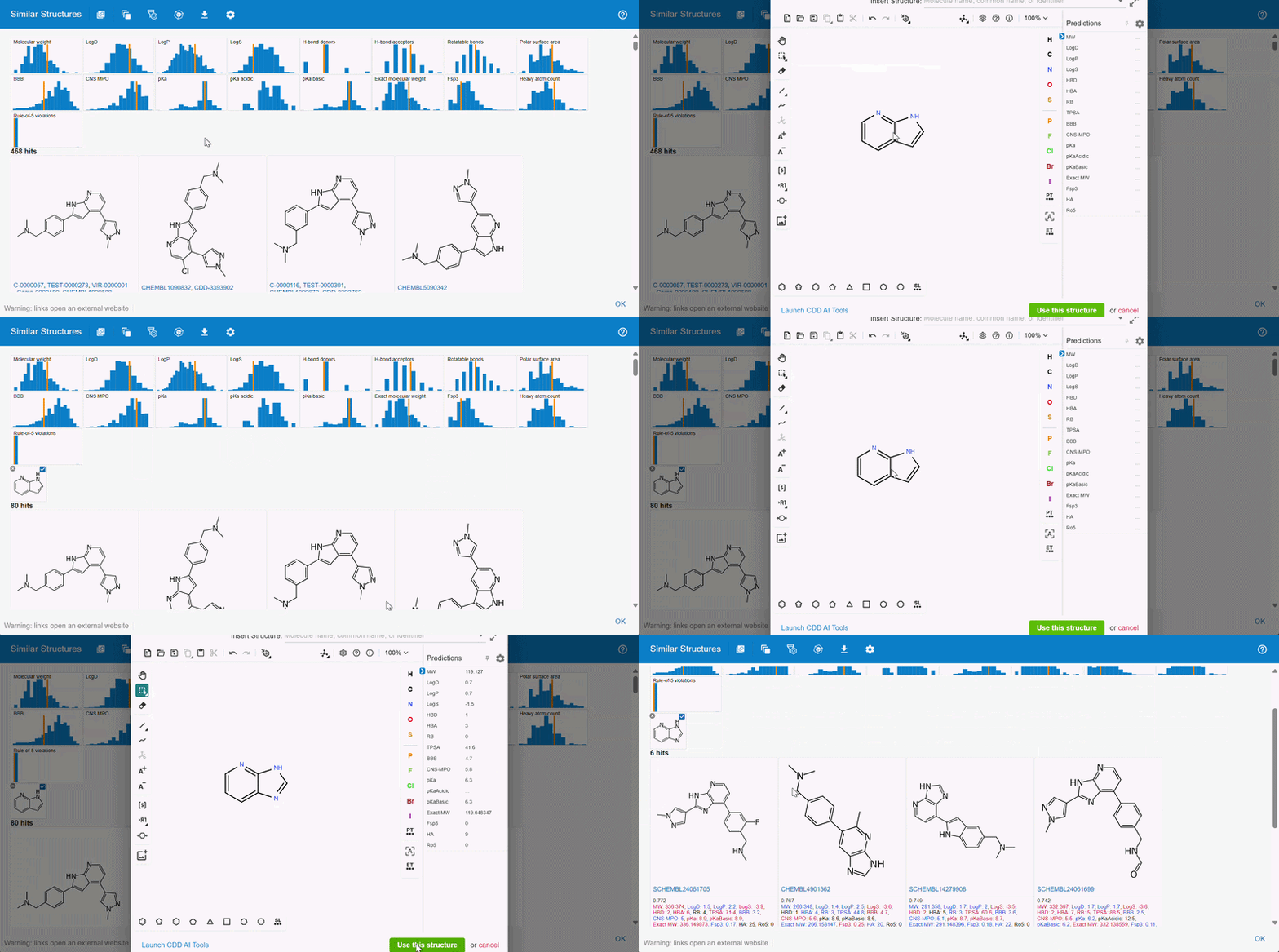
Results from a Deep Learning similarity search or bioisosteric suggestion can now be filtered based on substructures. A new substructure filter icon will appear in the toolbar that opens the structure editor.
Export all DL similarity and bioisosteric suggestions at once:
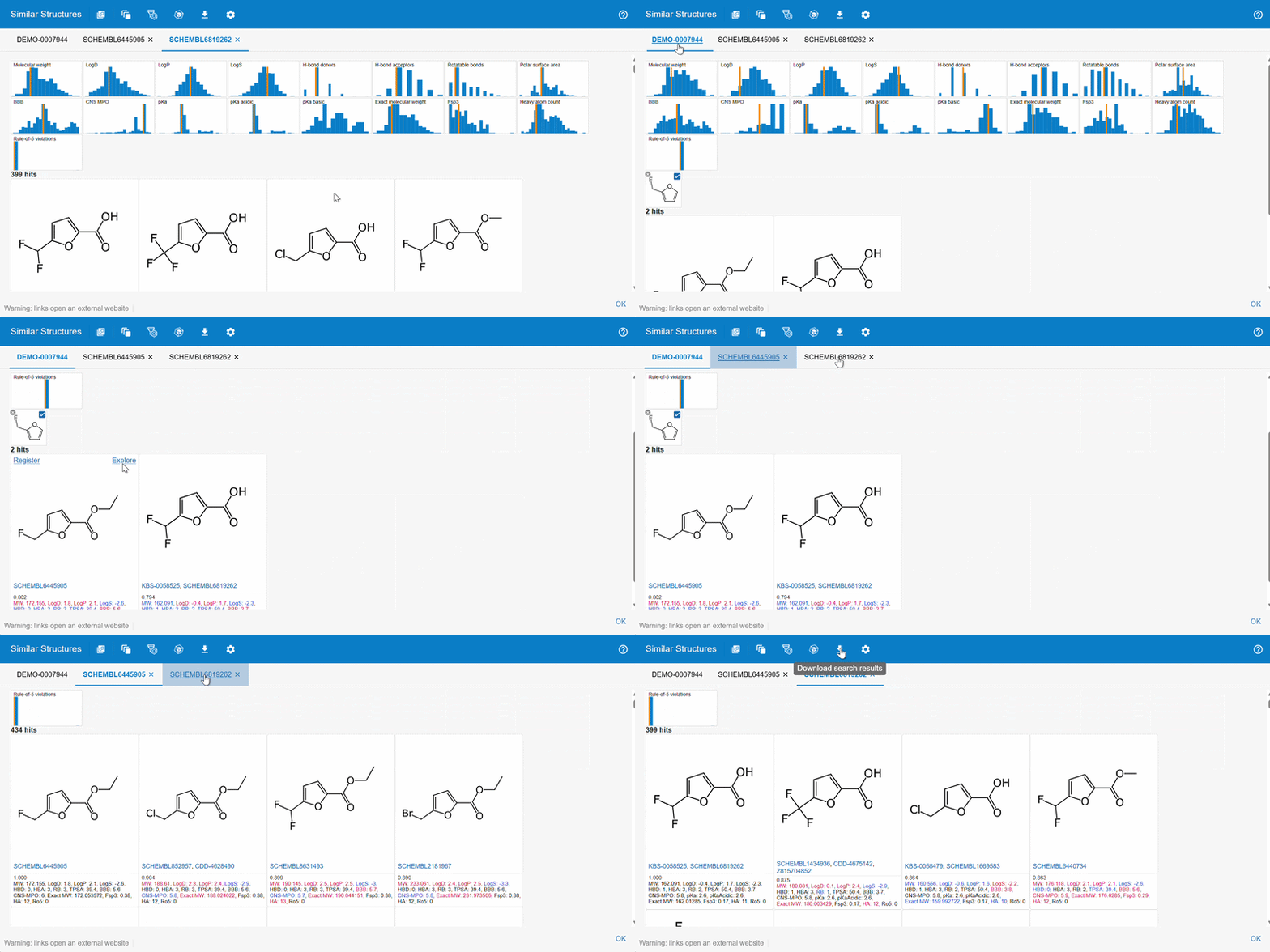
Explore specific Deep Learning similarity hits or bioisosteric suggestions further by hovering over a molecule and clicking the explore link. A new tab will open containing the hits from the target structure. Navigate between tabs to view the grouped results. The download option will export the results of all hits across all tabs.
 Contact your account manager or CDD Support if you cannot access the Deep Learning Similarity search and new molecule ideation with bioisosteric suggestions.
Create peptide monomers with leaving groups beyond hydrogen or oxygen:
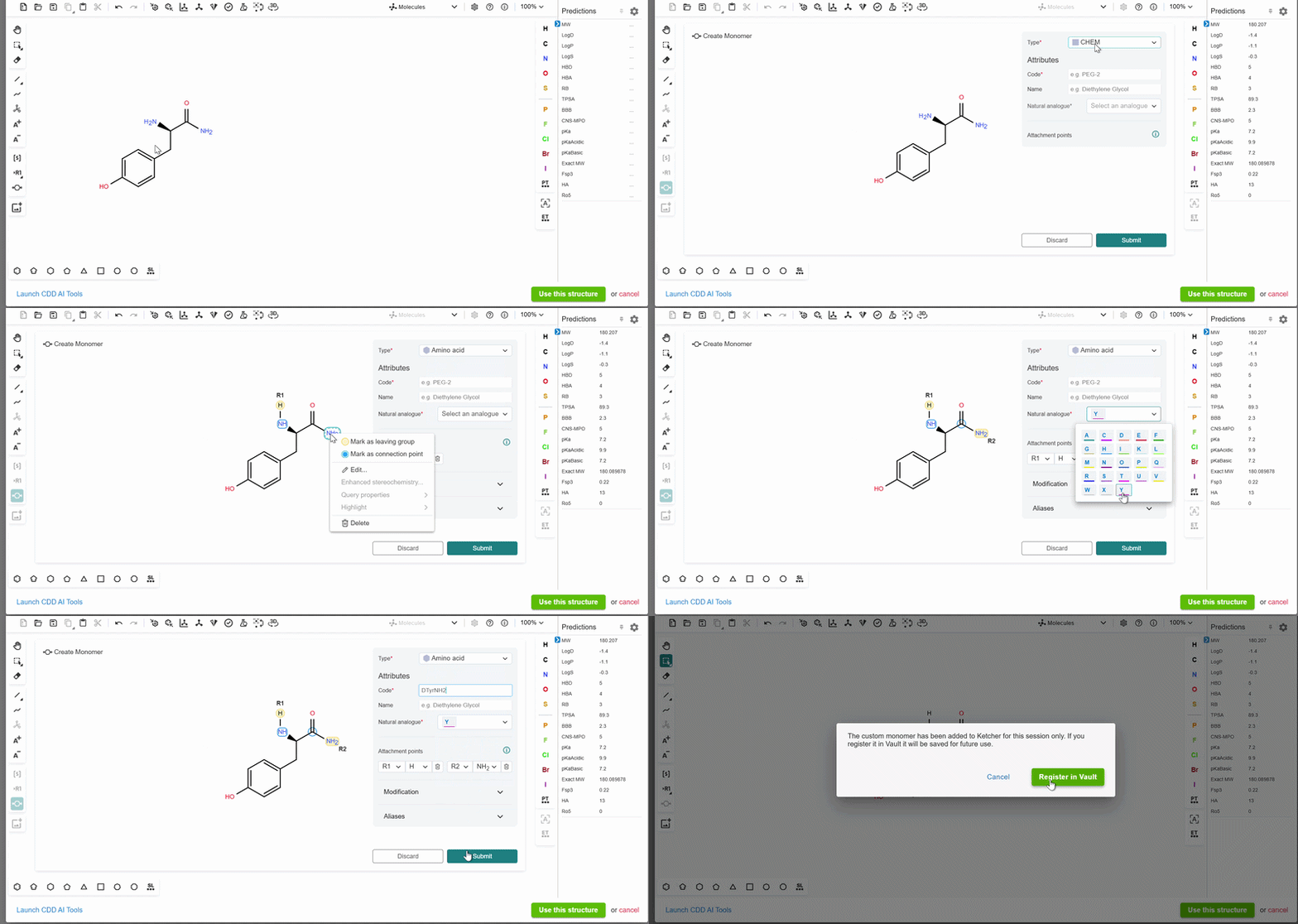
Using the structure editor, create a new monomer by selecting the monomer icon on the left toolbar. Choose the “Amino acid” monomer type, right-click the connection points and leaving groups, and assign the appropriate option. Fill in the required information for the custom monomer code and natural analog. Submit the monomer and then register it to CDD Vault. Custom codes can then be used in sequence based registrations.
 To provide feedback on features, or if you have questions and want to schedule a demo, please contact support@collaborativedrug.com.