
October 27, 2026
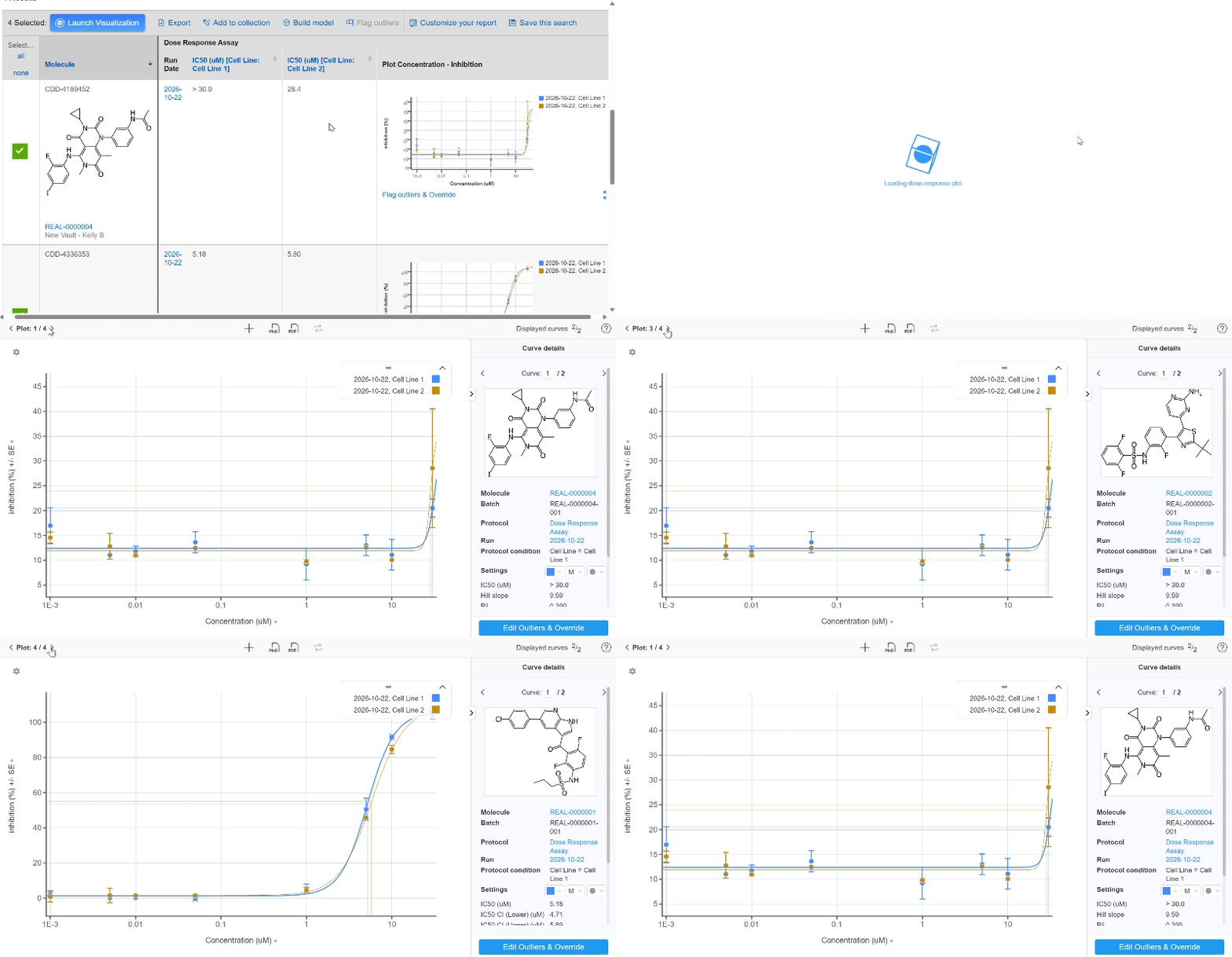
Carousel plots in search table:
Previously released in Visualization, carouseling through plots is now available from the search report table as well. Rather than clicking in and out of different tabs, this feature makes the QC process simpler. Use the arrows in the top left-hand side of the plot or the arrow keys on the keyboard to page through all the plots contained within a column in the search result table.
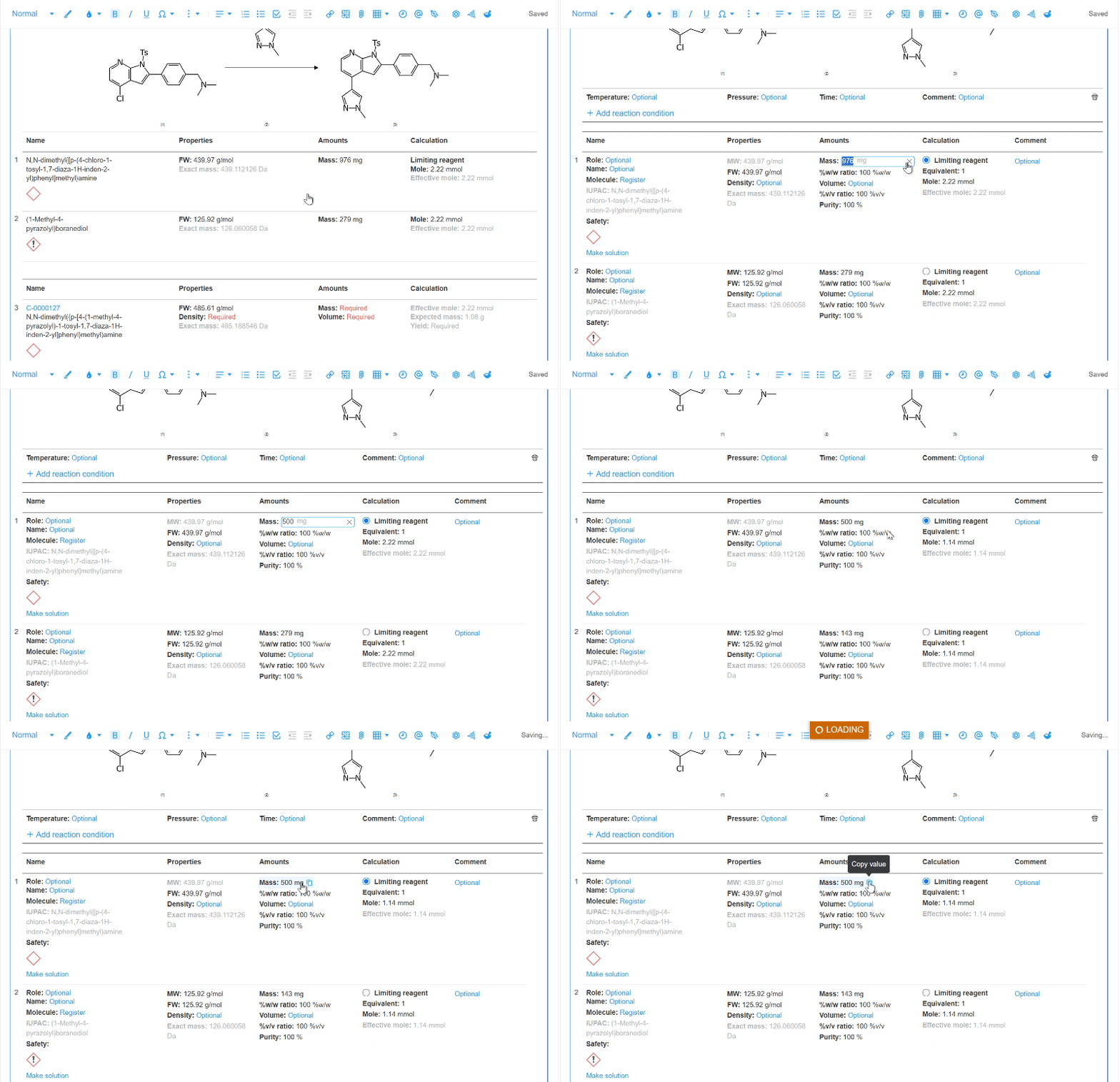
In-line stoichiometry table editing:
Gone are the pop-ups of Halloweens past. Now edit stoichiometry values in-line within the table, reducing the number of clicks it takes to add and edit information. Click the value that needs changing and the table goes into edit mode. Copy a value from the table using the icon.
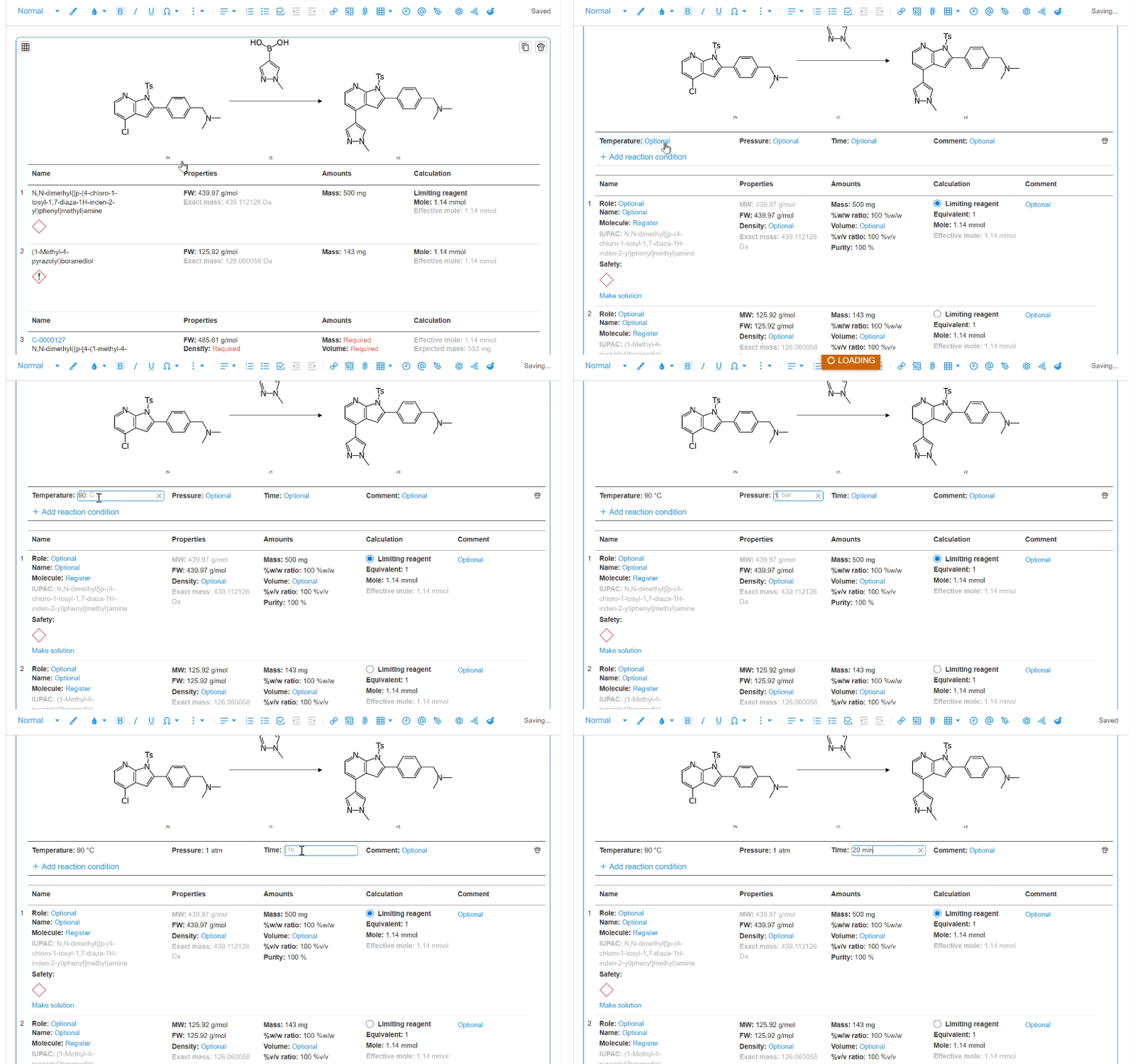
Reaction condition fields:
Temperature, pressure, and time fields provide a structured space to capture information about the reaction. Change units in the field by typing the appropriate unit for that condition. Start by clicking into edit mode and use the ‘Add reaction condition’ button located at the top of the table.
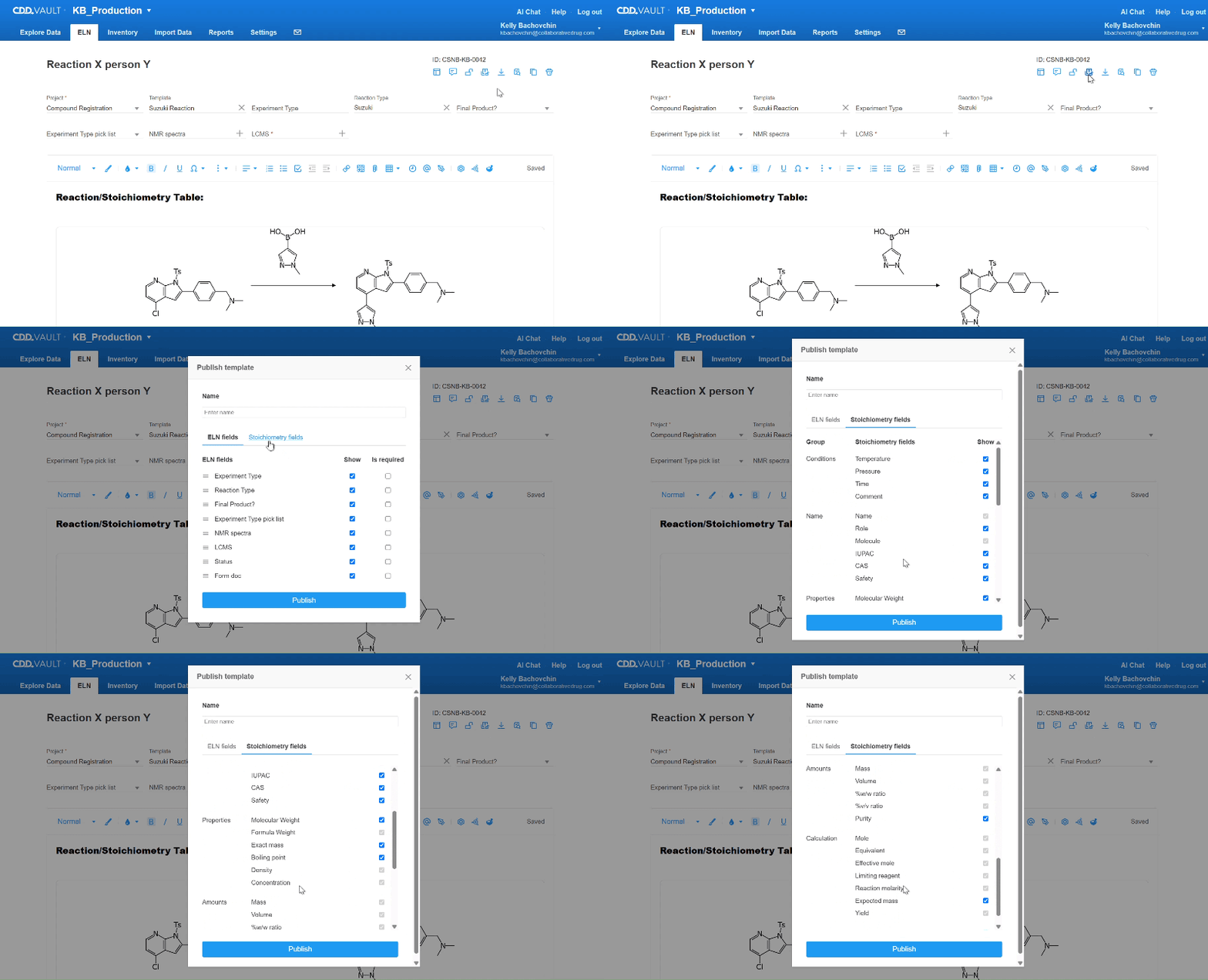
Show/hide stoichiometry table fields:
Vault Administrators can help focus users by removing unneeded stoichiometry table fields. Customize which fields are displayed on a per ELN template basis just like the metadata fields at the top of an entry. Once published, chemists select the appropriate template which displays the ideal set of stoichiometric fields relevant to their experiment.
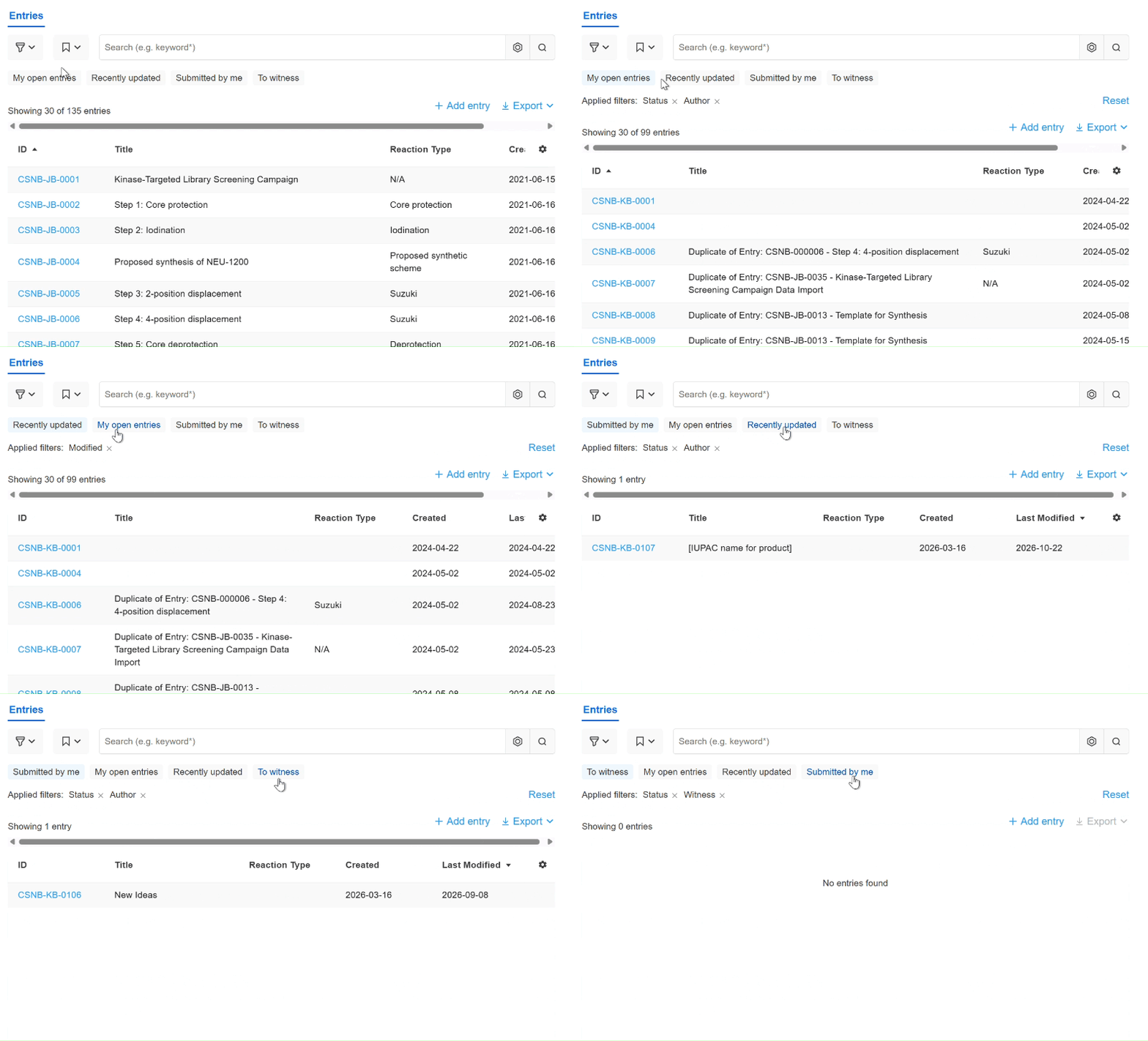
Default ELN filters:
Building off of a previous release to create saved searches, default views are now available for all users. The filters include ‘My open entries’, ‘Recently updated’, ‘Submitted by me’, and ‘To witness’. Easily switch between searches to review sets of entries. This is especially helpful for groups with witnessing enabled. See a clear view of all entries submitted for witnessing and which ones need to be witnessed to ensure the queue never gets too long.
To provide feedback on features, or if you have questions and want to schedule a demo, please contact support@collaborativedrug.com.